
From Clomosy Docs
! To start using the Clomosy application, you can install and create your projects by following the steps below.
Mobile Installation and Registration Procedures
We need to download the application from the application markets.
Google Play Store: Clomosy CRM
App Store: Clomosy CRM
After downloading the application, the Login screen below appears. Click on the Register button here.
Fill in the relevant fields on the Register screen below and click the register button to create a user account.
As soon as you press the Register button, a code will be sent to your e-mail address and we enter this code on the "Confirmation code" page.
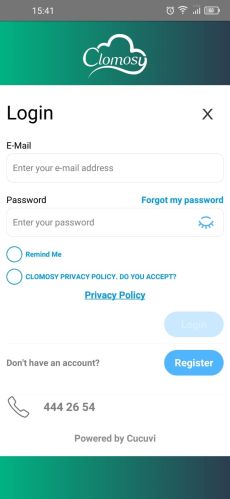
Mobile Login Screen
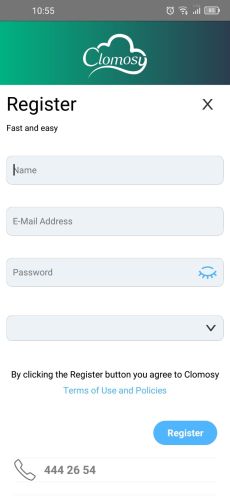
Mobil Register Screen
- MobileConfirmationCode.jpg
Mobil Confirmation Code Screen


You are now a Clomosy member. You can log in with your user e-mail address and password by coming to the login page. After the login process is completed, when you click on the profile photo on the top left of the screen, the following page will appear.
You will add yourself to your company's project with the code enclosed in the red square on this page. After telling the code to the related friend, you need to log out and log in to the application again with the Logout button on the same page.

! Before giving this code, let's install Clomosy on the web and create a project on the company.